All results in one place
From different years and different labs.
Always at hand.
No more digging through old printouts or PDFs in your inbox, no more trying to remember last year's value to compare it with today's measurement.
Collect your blood count, glucose, cholesterol and other lab results from different labs in one place, straight into Apple Health on iOS/iPadOS. Watch them change on trend charts, next to the heart rate, sleep and other fitness metrics you already keep there.
Free and fully local. Your data never leaves the browser — it is not sent to any server, ours included. Medical data in Apple Health is protected by the high privacy standards of iOS.
Pick one of three ways
or choose a file
Note: currently works best with result files from leading Polish laboratories.
For best non-PL results, use the own AI method or manual entry.
Runs OCR locally in your browser — the file is never uploaded anywhere.
| Test | LOINC | Value | Range | Status |
|
|---|
Enjoying LabCard?
No accounts, no ads, no tracking. If it helped — chip in whatever it is worth to you.
How to import: open the downloaded file on your iPhone (via email attachment or AirDrop) → Apple Health will offer to add it. Summary → Health Records → your result with a trend chart.
Important: the file has to sit on the device. Opening it straight from cloud storage (iCloud Drive, Google Drive, Dropbox) ends with the “Can’t add this data” message — download it to the phone first. More in the FAQ.
In Apple Health, lab results are a separate section inside Health Records, which shows up only after you import your first card. You'll find it under the list of all health data categories (the magnifying glass icon).
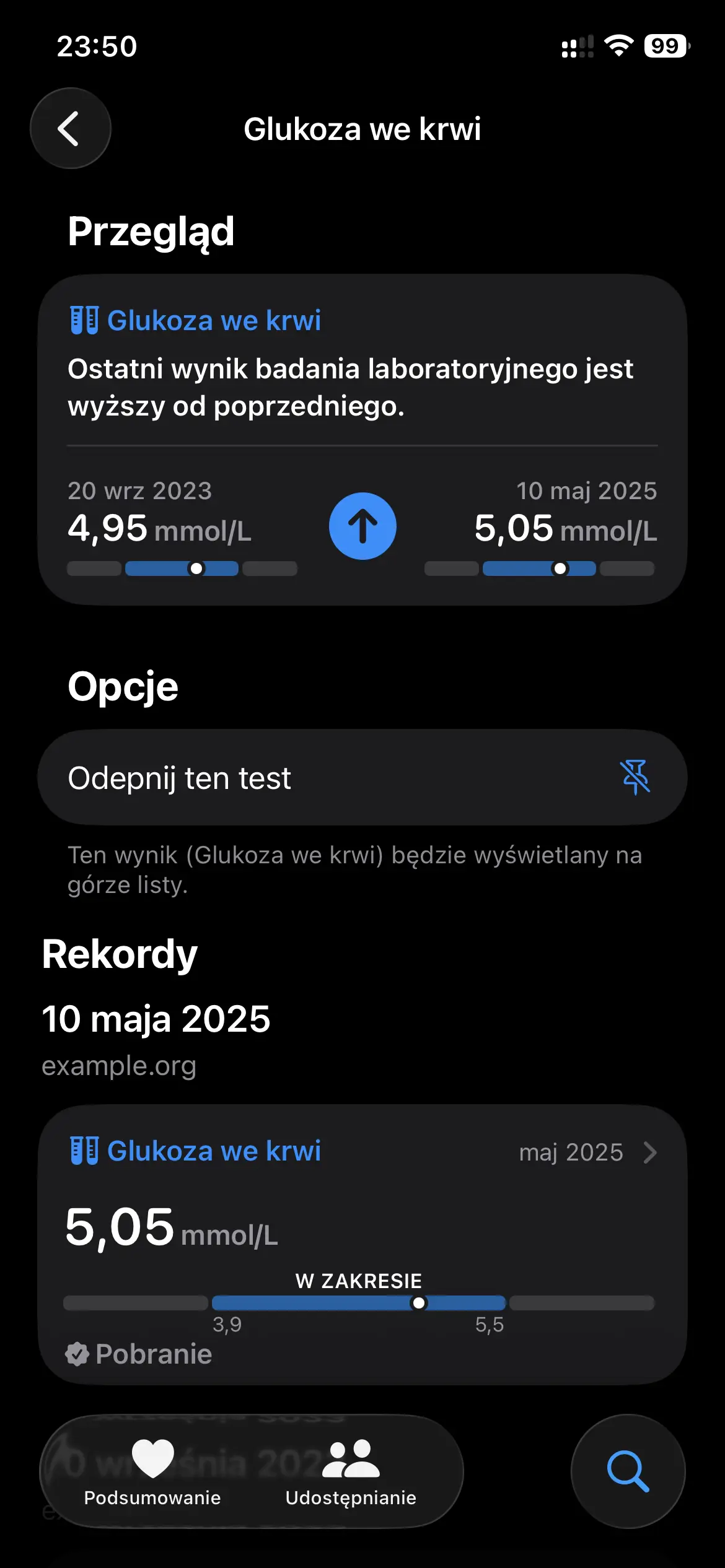
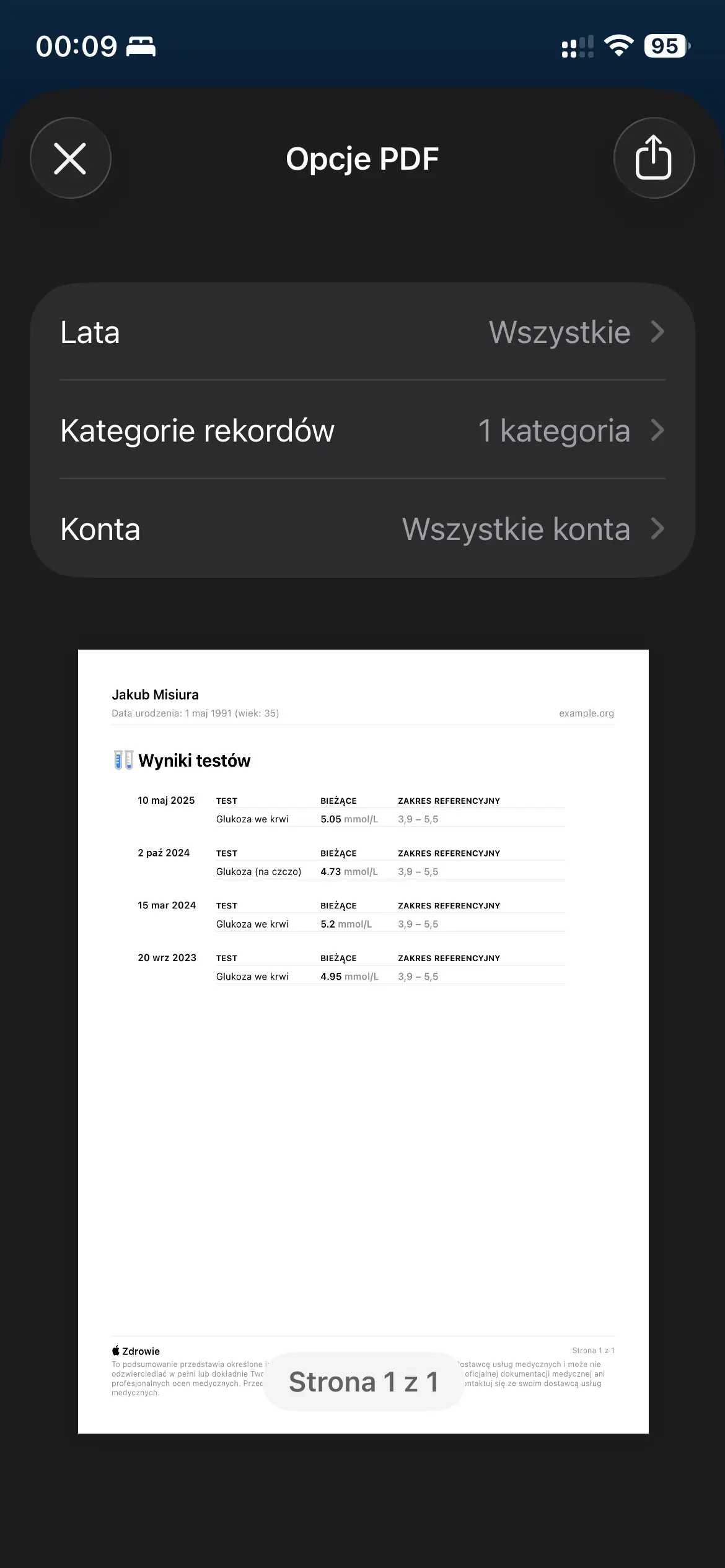
Officially, the feature has been available for years now in the US and partially in the UK, through integrations with clinic and healthcare provider accounts. And, as usual, there is no sign of an expansion to other markets.
It turns out, though, that the whole thing is built on the SMART Health Card[1] format, which was created as an open standard (from building blocks of the HL7® FHIR®[2] framework) back in the COVID-19 pandemic, and was adopted by Apple Health as its native health record format. Remember the vaccination certificates you could add to Apple Wallet? Same format — just applied to lab results.
 HL7® FHIR®
From different years and different labs.
Always at hand.
No more digging through old printouts or PDFs in your inbox, no more trying to remember last year's value to compare it with today's measurement.
Apple Health is already a huge central repository of data about your body.
It is the natural place to keep lab results next to your heart rate, sleep, workouts, weight, blood pressure, medications and nutrition data. Especially since they have been supported there for years!
Biometrics, end-to-end encryption and secure iCloud sync.
The same layer of protection and privacy as the rest of your measurements in Health. A native, system app - no extra accounts, no logins, no fees.
Every result — glucose, hemoglobin, TSH, cholesterol and so on —
lands as a separate measurement under "Health Records" >
"Lab Results". Subsequent cards carrying the same test from different dates
get put by Apple Health into the same container and compared
— you see how the value changed over time.
Results added this way work
with every other Apple Health feature, including secure, granular sharing with
family or your doctor, exporting all your data to a file, or handing it to
analytics tools that can look at your health. Read more
in the Apple Health section of the FAQ.
186 tests across 20 categories today: full blood count with differential, liver and kidney biochemistry, lipid panel (including apolipoproteins and Lp(a)), electrolytes and minerals (including acid–base balance), iron metabolism, vitamins (D, B12, folate), thyroid (TSH, fT3, fT4, antibodies), sex hormones, diabetes (glucose, HbA1c, insulin), coagulation (D-dimer, INR, APTT), inflammation markers (CRP, ESR, procalcitonin), cardiac (hs troponins, NT-proBNP), tumour markers (PSA, CEA, CA 125), immunoglobulins with serum protein electrophoresis, bone metabolism, heavy metals in blood (lead, cadmium, arsenic), serology and autoantibodies (HBsAg, anti-HBc, anti-HAV, anti-HBs, anti-HCV, ANA, anti-dsDNA), and transplant & immunosuppression (tacrolimus, mycophenolate, CMV and BK viral load). You'll see the full list in the "Manual pick" tab inside the app.
Most of them are numeric. Six of the serology entries are qualitative — instead of a number you pick "Negative", "Positive" or "Equivocal", and that is exactly what reaches Apple Health. Health doesn't chart such an entry or label it "in range" — it just shows the result.
For viral PCR (CMV, BKV) you get both routes in a single entry: next to the unit there is a "descriptive" switch for when the result reads "not detected" instead of giving a number. A negative PCR is not recorded as zero — it is a different LOINC code and a different kind of result.
The same test is printed in different units by different labs (mg/dL or mmol/L) — you pick the one on your report and LabCard matches the right code to it. It never converts the value.
Something important missing? Let me know.
The file is almost certainly being opened straight from cloud storage (iCloud Drive, Google Drive, Dropbox). Opened that way the card reaches the Health app damaged and gets rejected. It does not mean the card is broken — it just has to be moved differently.
The route that always works: download the file to your phone (do not leave it in the cloud) → open the Files app and find the card → tap Share → pick Health. Equally reliable: email the file to yourself and open it from the attachment.
No. All reading, mapping and card signing happens
in this browser. Unless you choose to have your own AI read the document,
there is no server here that could receive your results.
The page no longer pulls fonts or libraries from third-party
servers — all of it is served from our own hosting. Exactly two things
load from another domain: the cookieless Cloudflare page-view counter, which
cannot see your data, and the OCR model, and only once you add a file yourself.
What's more, you can disconnect from the internet right after
opening the page (and, optionally, downloading the accurate OCR model)
and everything will still work — the only thing missing will be the green
"Verified" badge, because a fragment of the card won't get signed online.
Apple Health will accept it anyway! More: Privacy.
Automatic reading is tuned and tested on printouts from Diagnostyka, ALAB, Luxmed and Medicover — it recognises those layouts on its own, without you picking anything from a list. A report from another laboratory will upload too and will often work, because we read the column layout rather than one company's template — but I'm not promising that, and all the more reason to check every value in the table.
When the reading can't cope, two lab-independent paths remain: "Use your own AI" (your LLM transcribes the document, we arrange its answer into a card) and "Manual pick".
Write to labcard_io@icloud.com. I'm glad to receive anonymised, real samples of exports or scanned results from other laboratories — in English and in other languages too. Every such sample greatly improves the chances that files from that lab will be read better in the future. I can't get tested in that many places myself ;-)
Before sending, black out your name, ID numbers, address and order numbers — leave the results, units and reference ranges.
You can — we accept JPEG and PNG alongside PDFs. But reading is tuned above all for clean PDFs from the Diagnostyka, ALAB, Luxmed and Medicover patient portals, and those are the only layouts I have reasonably tested. A handheld photo adds page curvature, shadows and lower sharpness, so expect more errors. Check every value in the table before you download the card and import it into Apple Health.
For any other source there's the "Use your own AI" tab: it's your LLM (ChatGPT, Claude, Gemini…) that reads the document, and our tool only arranges its answer into a card for import into Apple Health.
Yes — and independently of LabCard, because it's a feature of iOS itself (Apple Support: Share your health data).
You can also easily generate a ready PDF with your results. You get to pick the date range you want to export.
One import ("card/record") is the most granular entry in Health Records in
Apple Health. If you added a whole blood count in one go (which makes sense),
then trying to delete only the white blood cell count will make Apple Health
remove the remaining results from that same import as well. In practice this
means you can't delete a single parameter from a card, only the
whole card of results for that day at once.
If you added more imports
from LabCard, they'll be grouped under a single "provider" — deleting it removes
every health record coming from here in one sweep. More:
(Apple
Support: View health records in Health). If you have iCloud sync turned on,
deleting on one device deletes the data on all of them.
On the LabCard side there's nothing to delete: we store nothing, so closing
the browser tab ends the matter. All that's left is the downloaded
.smart-health-card file, if you kept it.
This is the strong side of the whole arrangement and one of the reasons LabCard exists. Apple states it plainly: "When your phone is locked with a passcode, Touch ID, or Face ID, all of your health and fitness data in the Health app — other than your Medical ID — is encrypted."
If you turn on iCloud sync and have two-factor authentication, health records are protected with end-to-end encryption: "only you can access this information, and only on devices where you're signed in to iCloud" (Apple Support: health records privacy and security). No app sees this data until you allow it — category by category.
None of it comes back to LabCard anyway: we're not a HealthKit app and we have no access whatsoever to what already landed in Health. The card travels one way.
Yes. Both the LabCard site and adding results to Apple Health work directly on an iPad.
Results uploaded from an iPhone show up on the iPad after iCloud sync.
On the iPhone side: iOS 15.1 or newer — that's the version where Apple Health learned to accept verifiable health records, the format in which LabCard issues its card (Apple Support: verifiable health records).
On the iPad side: the Health app only arrived in iPadOS 17, so earlier versions have nowhere to show these results.
The LabCard site itself has no system requirement — it runs in any modern browser, on Windows or a Mac too. You can generate the card on a computer and only then open the file on your iPhone.
Because that badge is reserved for native iOS apps, downloaded from the App Store, built on Apple HealthKit and vetted by Apple. LabCard is a page in a browser that generates a file to import — not a HealthKit app (and it doesn't need to be one to get your result into Apple Health).
We can honestly say LabCard "works with Apple Health" (a compatibility statement), but we can't use the badge itself.
The generated file is an open standard — in theory yes, reportedly via the CommonHealth app. I haven't tested it empirically on a physical Android yet, so today I can't confirm it. It also looks like Google Health Connect will sooner or later accept this standard as well — though not necessarily as an import from the web.
From a dictionary based on the international LOINC standard — universal identifiers for lab tests, used among others by US hospital systems. The English version takes its names straight from the official LOINC LONG_COMMON_NAME field.
No. LabCard transcribes values from one format into another. The "in range / out of range" status is shown only when we received a reference range in the input — it's a mirror of that data, not a medical judgment. It does not replace medical consultation.
You. From the moment the .smart-health-card file lands
on your device (or in Apple Health), you're its controller. LabCard
keeps nothing from it — there's nowhere to keep it.
No. LabCard is not a medical device. It converts a record of a result from one format into another and hands it back to you — like a file converter, only for laboratory data.
There's no interpretation of the result here, no "this looks concerning", no calculating risk on your behalf. Even with the lipid panel target ranges, you pick the risk level yourself — from a list of thresholds you already have printed on your own result. LabCard doesn't guess it for you and doesn't hint at which one is yours.
A card from LabCard is a more convenient record of your data, to be kept in Apple Health. It does not replace consulting a doctor. Data imported into Apple Health from LabCard cannot serve as evidence of anything, because it doesn't come straight from a laboratory and can be edited by hand.
Because Apple Health is great, it already holds plenty of our fitness and
medical data, and on top of that it's protected by everything that's best in
iOS. No extra apps or subscriptions, no dragging sensitive data into yet another
cloud. I simply wanted to build this for myself — I like having everything in
one place.
Unfortunately, Health officially connects to partner clinic
and lab systems for results only in the US and the UK. And it's been that way
since 2018, when Apple introduced the feature. In Poland I found no such
integration (Apple doesn't even allow it), but entering results manually turned
out to be technically possible thanks to support for open medical data
standards.
More: How & why.
Yes. Flu and COVID-19 vaccinations have their own page: pick the vaccine from this season's list and three steps later you have a record ready for Apple Health. Add a vaccination.
If you have feedback, comments or a collaboration proposal, write to labcard_io@icloud.com or find me on X: @kumbol.
Yes, a fair part of the code was written with an LLM. And so what? These days it's an ordinary tool of the trade.
Data safety is guaranteed by the tool's architecture and, as written above,
you can easily check for yourself that everything works offline.
You can
inspect the requests in your browser's developer tools, in the Network tab, and
see that nothing — apart from the cryptographic, data-free fragment sent for
signing — actually goes out.
And since you're that curious: Opus 4.8 and 5 :-P